Structural diff
Oaink reads a change as symbols, not as hunks. It marks the tokens that changed. The other code stays quiet.
Status: available
Changed tokens only
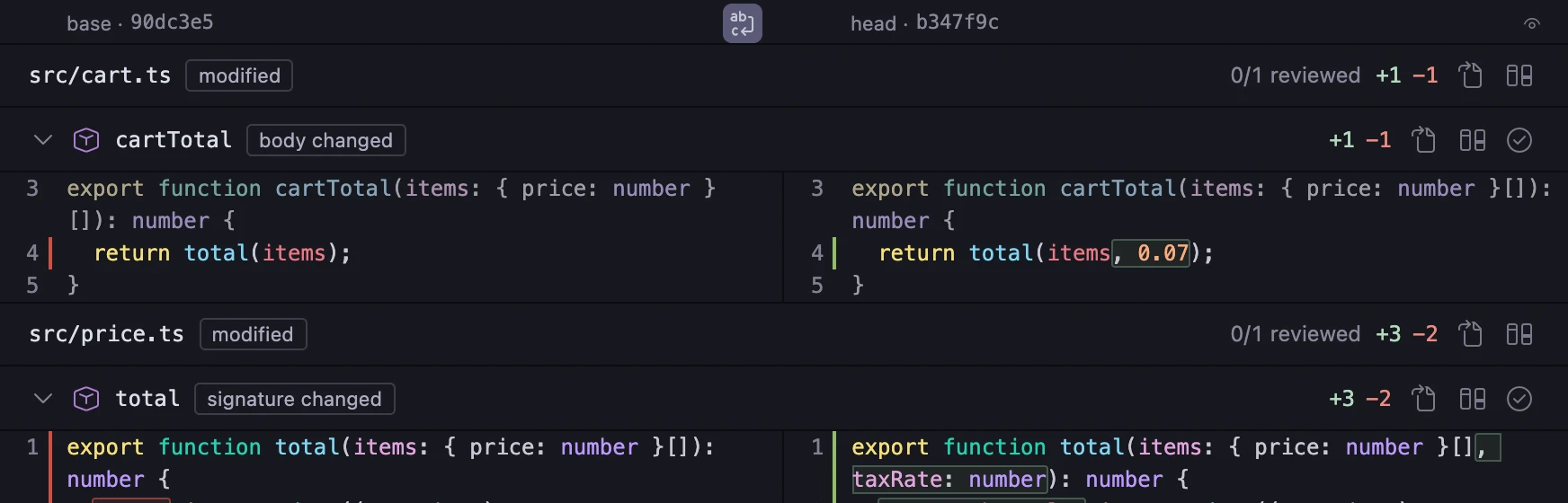
- 1. The base is on the left. The head is on the right.
- 2. The new parameter has the change mark. The other tokens on the line have none.
- 3. A changed line has a bar in the gutter of its side. There is no plus sign, no minus sign and no band across the line.
price.ts · structural
A format-only edit is not a change
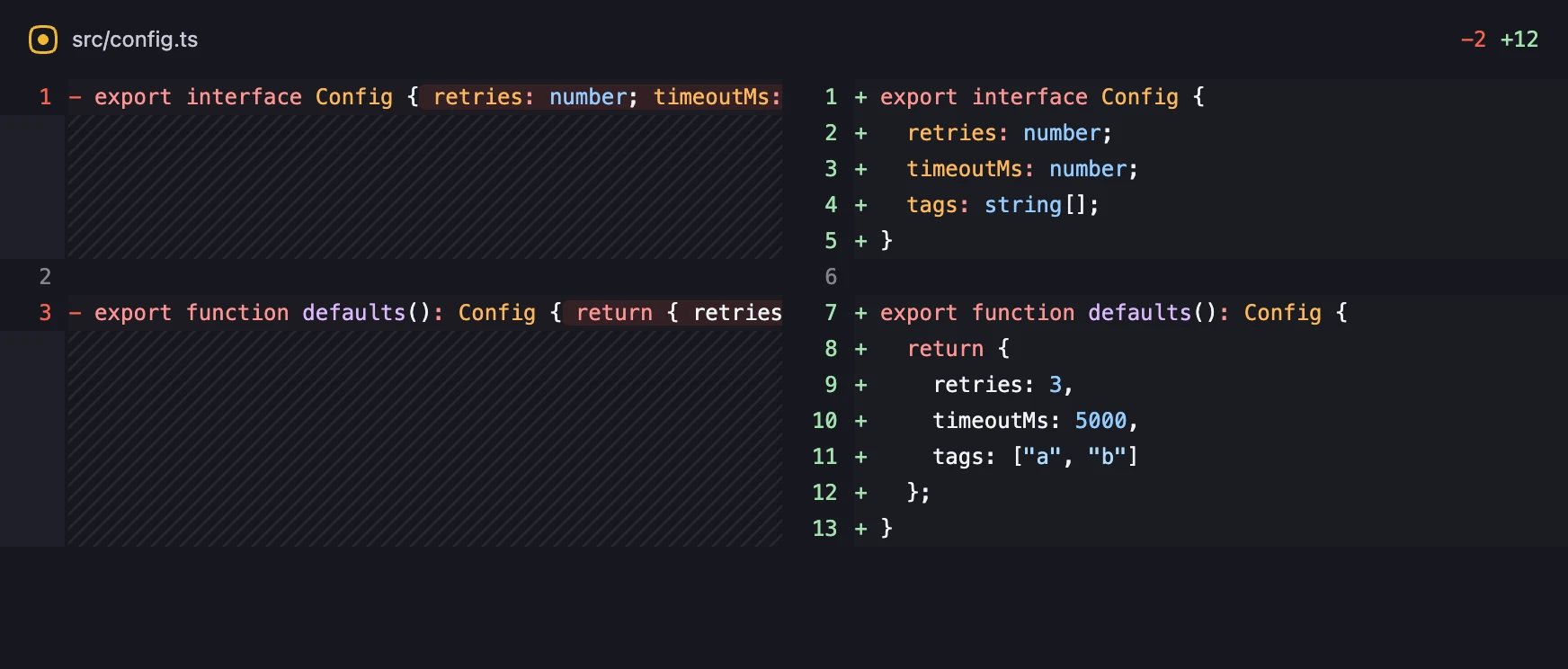
- 1. One line changed. The header counts it: +1 −0.
- 2. The change mark is on that line only.
- 3. The other lines were formatted again. They have no mark.
Under the brass rule is the line diff of the same change. Its header counts −2 +12. Move the rule.
config.ts · structural
![The structural diff of src/config.ts. The file was formatted again and one field was added. One line has a change mark: tags: string[]. The header shows +1 −0.](/shots/review-format-structural.hc-ebony.webp)
Unchanged code collapses
pull.ts · structural
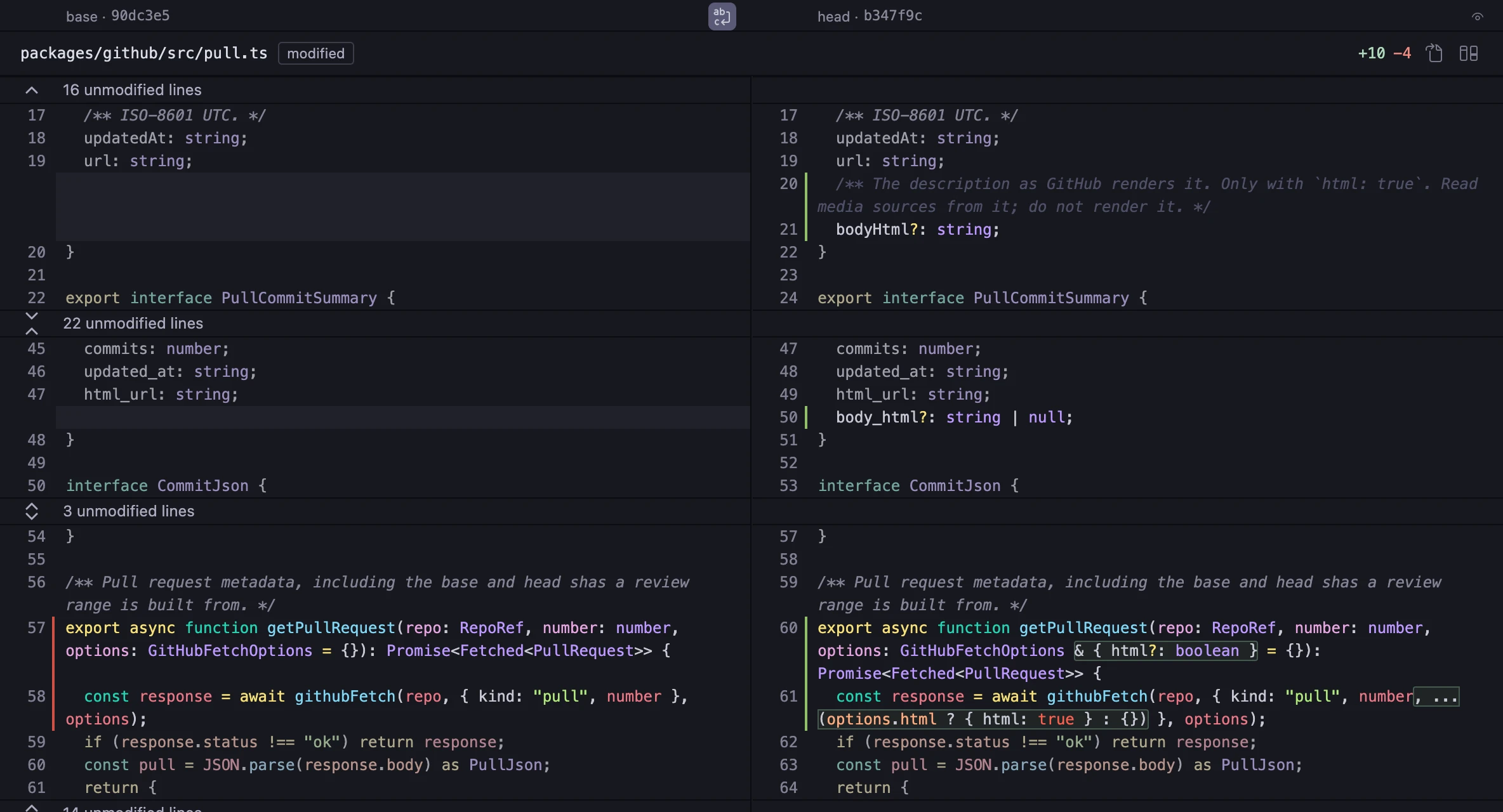
- 1. An unchanged region is one row with a count of its lines. Select the row to open the region.
- 2. The header counts the lines that changed in the file.
The file is packages/github/src/pull.ts, from a pull request of the Oaink repository.
Change classes
Deep static analysis groups meaningful changes so you can focus your review.
- Signature
- The declaration of the symbol changed.
- Body
- The code inside the symbol changed.
- Added
- The symbol is new at head.
- Removed
- The symbol is not at head.
- Moved
- The symbol is in a different place. Its content is the same.
- Renamed
- The symbol has a new name. Its content is the same.
- Format
- Only the layout of the code changed.
The change map has a filter for each class. A move, a rename or a format-only edit does not have to take your time.
Keys
- jk
- Go to the next change or the previous change.
- ][
- Go to the next file or the previous file.
- o
- Open the file at the line.
- r
- Mark the symbol reviewed.
- d
- Show the line diff of the file.
- ?
- Show the shortcuts.
The line diff is always one key away. Oaink does not ask you to trust the structural diff. All keys
How to open it
- Run the command
Oaink: Review Pull Request…. - Select a pull request in the list.
- Select a symbol in the change map. The structural diff opens at that symbol.
Other features
- Signalspartly availableDeep static analysis in one Overview, with a reading order.
- NavigationavailableGo from a fact to the code: callers, broken imports, tests, the file at the line.
- Review flowpartly availableA reviewed mark belongs to the content of a symbol. A new push opens again only what changed.
- The CLI for agentspartly availableThe same facts for an agent: one fact on each line, as JSON. It also shows a review draft.
- Oaink ProPlannedLens, agent context and CLI automation. Your review stays in your hands.
- Local-firstavailableOaink runs on your machine. It does not track your use.
Oaink is not released.
When it is, it installs from the VS Code Marketplace. Getting started